Google Meet Can Now Use Gemini to Take Meeting Notes Automatically
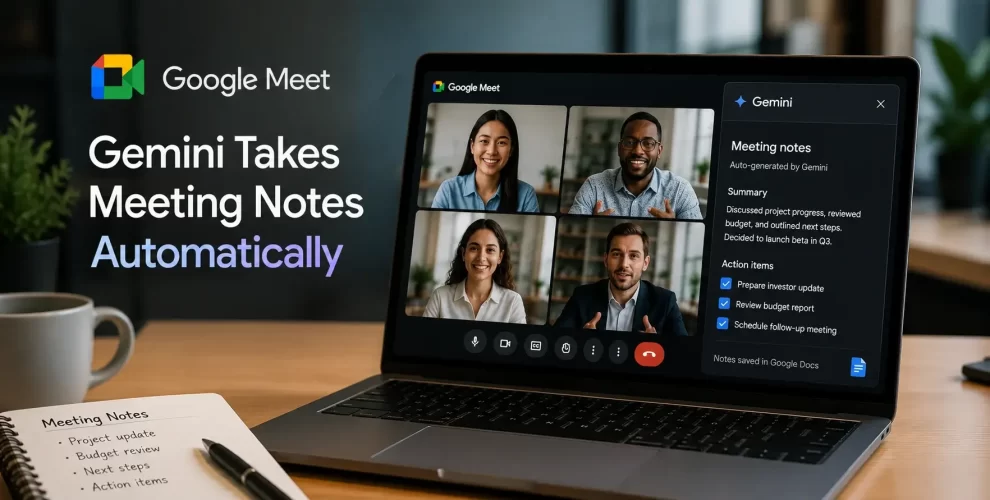
Google has introduced a new Gemini-powered feature that can automatically take notes during Google Meet calls.
The feature is designed to help users focus on conversations instead of writing everything down manually.
How Gemini’s AI Note-Taking Works
However, it is only available to users with a paid Google AI subscription or eligible Google Workspace plans.
Once the feature is enabled, Gemini listens to the meeting, creates a transcript, identifies important discussion points, and generates a clear summary.
It also highlights action items and follow-up tasks, making it easier to review what was discussed after the meeting ends.
The meeting summary is automatically saved as a Google Docs file in Google Drive.
Participants also receive an email containing the meeting recap and key takeaways, allowing everyone to stay informed even if they missed parts of the discussion.
How to Enable the Feature
To use the feature, users can activate it during a meeting or enable automatic note-taking through Google Meet settings.
Google also notifies everyone in the meeting whenever AI note-taking is turned on, ensuring transparency for all participants.
Who Can Access Gemini’s Meeting Notes?
While the feature can save time and improve productivity, it is not available to free Google Meet users.
Personal users need a Google AI Pro subscription, while businesses can access it through eligible Google Workspace plans that include Gemini features.
Why It Matters for Regular Google Meet Users
As AI becomes a bigger part of workplace tools, automatic meeting notes are quickly becoming a standard feature.
If you regularly attend long meetings, Gemini’s AI-powered note-taking could make reviewing discussions and tracking tasks much easier.
Final Thoughts
Gemini’s automatic note-taking feature brings a more efficient way to manage meetings by creating summaries, action items, and searchable notes.
Although it requires a paid subscription, it could be a valuable productivity tool for users who spend a significant amount of time in Google Meet.