Make a Free Wi-Fi Extender Out of Your Old Android Phone
Table of Contents
Make a Free Wi-Fi Extender Out of Your Old Android Phone
That old Android phone sitting unused in a drawer could help solve Wi-Fi dead zones around your home.
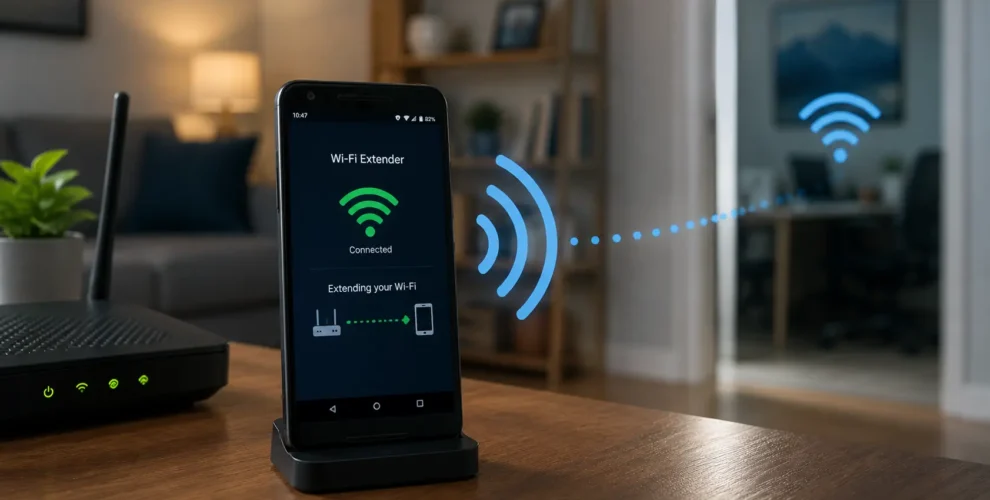
Some Android phones can connect to your existing Wi-Fi network and share that connection through their hotspot feature. This effectively turns the phone into a simple Wi-Fi repeater — without buying a dedicated extender or mesh system.
It won’t replace proper networking hardware, but for a weak-signal room or temporary setup, it can be a useful free solution.
Key Takeaways
- Certain Android phones can use their hotspot to share an existing Wi-Fi connection.
- No additional hardware or special app is required on supported devices.
- The phone should be positioned between the router and the Wi-Fi dead zone.
- A 5GHz hotspot can offer better nearby performance, while 2.4GHz generally provides greater range.
- The phone needs regular power because hotspot use drains the battery quickly.
- This method extends coverage but doesn’t increase your actual internet speed.
- Not every Android phone supports sharing Wi-Fi while connected to Wi-Fi.
How Does an Android Phone Work as a Wi-Fi Extender?
Normally, your router broadcasts Wi-Fi throughout your home. The farther you move from it, the weaker that signal can become.
A compatible Android phone can act as a middle point.
It connects to your home Wi-Fi and then rebroadcasts that internet connection through its own hotspot. Other devices, including laptops, tablets and smart TVs, can connect to the phone instead.
Think of the phone as a simple relay between your router and the area with poor coverage.
How to Use Your Android Phone as a Wi-Fi Extender
First, connect the old Android phone to your normal home Wi-Fi network.
Next, choose Wi-Fi Hotspot under Settings > Network & Internet > Hotspot & Tethering. Depending on the Android version and phone manufacturer, the precise menu titles may change.
Turn on the Wi-Fi hotspot and give it an easily recognizable network name and a strong password.
If your phone supports Wi-Fi sharing, it should rebroadcast the Wi-Fi connection rather than relying on mobile data.
You can then connect your laptop, TV or another device to the new hotspot network.
Where Should You Place the Phone?
Placement makes a big difference.
Don’t put the phone directly inside the Wi-Fi dead zone because it also needs a reasonably strong connection to your main router.
Instead, place it roughly between your router and the area with weak Wi-Fi.
For example:
Router → Android phone → Wi-Fi dead zone
Keeping the phone near a power outlet is also useful because running a hotspot continuously can drain an older battery quickly.
Should You Use 2.4GHz or 5GHz?
If your phone lets you choose the hotspot band, the best option depends on where you’re using it.
In general, 2.4GHz has a longer range and is more efficient at passing through barriers.
5GHz can provide better performance at shorter distances but usually has less range.
For extending Wi-Fi into a distant room, 2.4GHz may therefore be more practical. If the receiving devices are relatively close to the phone, 5GHz can be worth trying.
Will This Increase Your Internet Speed?
No.
Your Android phone is only extending an existing connection. It cannot make the internet connection from your provider faster.
In fact, performance through the phone may be lower than connecting directly to your router because the connection is being relayed through another device.
The main benefit is better coverage, not higher speed.
Does Every Android Phone Support This?
No.
Google’s Android documentation specifically notes that some phones can share a Wi-Fi connection through tethering, meaning support varies by device. Pixel 3 and newer Pixel phones, for example, support sharing a Wi-Fi connection with other devices.
Some manufacturers may also call the feature Wi-Fi Sharing, Mobile Hotspot or something similar.
If turning on the hotspot disconnects the phone from Wi-Fi and switches to mobile data, your device may not support this method in the same way.
Is an Android Phone Better Than a Wi-Fi Extender?
For a free temporary solution, it can be surprisingly useful.
But a dedicated Wi-Fi extender or mesh system will generally provide better range, performance and reliability. Dedicated networking equipment can also offer features such as more seamless roaming around the home.
An old Android phone is best suited to fixing one small weak-signal area without spending additional money.
Conclusion
Before recycling an old Android phone, check whether it supports Wi-Fi sharing.
With just a few settings, the phone may be able to connect to your existing router and rebroadcast that connection into an area where Wi-Fi is weak.
It won’t outperform a proper extender or mesh system, but for a device you already own, it’s a simple and potentially zero-cost fix for a Wi-Fi dead zone.
FAQs
1. Can an old Android phone work as a Wi-Fi extender?
Yes, some Android phones can connect to an existing Wi-Fi network and share that connection through their hotspot feature.
2. Do I need an app to turn Android into a Wi-Fi extender?
Not necessarily. Supported Android phones can do it using built-in hotspot and Wi-Fi sharing features.
3. Will the phone use my mobile data?
If the phone supports sharing its existing Wi-Fi connection, it can rebroadcast Wi-Fi instead of using mobile data. Check that the phone remains connected to your home Wi-Fi after enabling the hotspot.
4. Where should I place the phone?
Place it between your main router and the area where the Wi-Fi signal becomes weak.
5. Does using a phone as an extender increase internet speed?
No. It extends Wi-Fi coverage but doesn’t increase the speed of your underlying internet connection.
6. Is a real Wi-Fi extender still better?
Generally, yes. A dedicated extender or mesh system usually provides better performance and reliability. An old phone is better viewed as a free workaround.