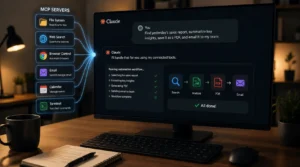
Anthropic Makes Claude Code Auto Mode the Default for Paid Users
Anthropic is changing how developers work with Claude Code by making its Auto mode the default for several paid plans.
Starting August 14, Pro, Max, and Team users will be able to let Claude Code handle more programming tasks without asking for approval at every step.
The change is designed to make coding with AI faster while keeping important safety controls in place.
What Claude Code Auto Mode Does
Claude Code can help developers write, edit, and manage code directly from their development environment.
Previously, users often had to approve individual actions before the AI could continue.
With Auto mode, Claude Code can move forward on its own for routine tasks.
It will still stop when an action appears potentially destructive, difficult to reverse, or outside the environment where it is operating.
This gives developers a more hands-off way to work with the coding assistant while maintaining limits around higher-risk actions.
Anthropic Says Auto Mode Performed Better in Testing
Anthropic introduced Auto mode as an experiment earlier this year.
The company says testing with more than 1,000 paid users showed interesting results.
According to Anthropic, Auto mode identified 89% of harmful actions in its study, compared with 13.6% detected through manual approval.
The company also found that users frequently approve permission requests, which can make repeated manual checks less effective over time.
For developers working on large projects, reducing unnecessary interruptions could make AI-assisted programming feel much smoother.
More Safety Features Are Being Added
Giving an AI coding tool greater freedom also creates new security concerns.
Anthropic says it has introduced additional protections alongside Auto mode.
These include screening for prompt injection attempts and customizable rules that can completely block certain actions.
Such controls are intended to prevent sensitive information from being exposed or moved outside the approved environment.
The goal is to allow Claude Code to work independently while still placing firm limits around dangerous operations.
What This Means for Developers
The move shows how AI coding tools are shifting from assistants that wait for instructions to systems that can complete larger parts of a task independently.
For experienced developers, this could reduce interruptions and save time on routine work.
However, users still need to understand what permissions they are giving an AI system, especially when working with private code, credentials, or important files.
Conclusion
Anthropic’s decision to make Claude Code Auto mode the default marks another step toward more autonomous AI programming.
The feature could make development faster and more convenient, but its success will depend on strong safety controls and responsible use.
As coding agents become more independent, balancing productivity with security will remain essential.