Google Expands Google Meet Take Notes for Me to Individual AI Subscribers
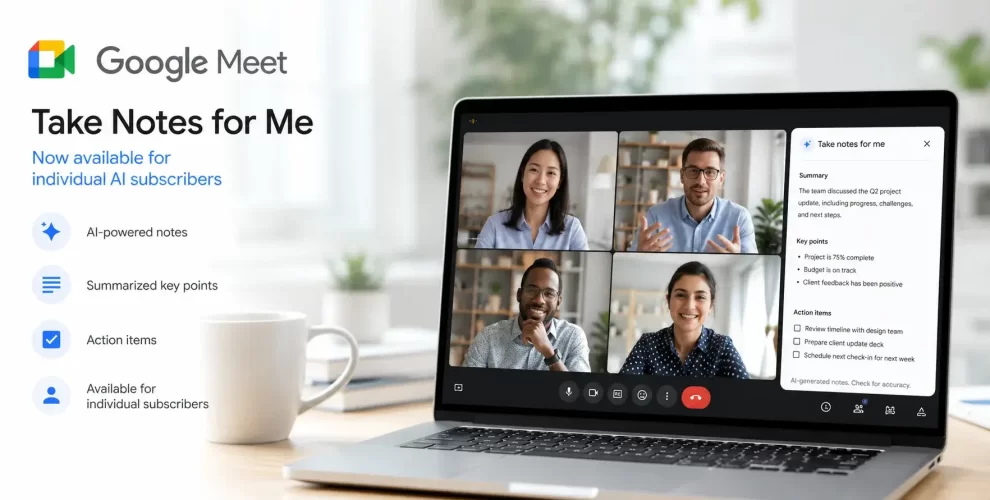
Google has expanded its Google Meet Take Notes for Me feature to individual users with Google AI Pro and Google AI Ultra subscriptions.
Previously available mainly through eligible Google Workspace plans, the AI-powered tool can now help personal users capture meeting notes automatically without manually writing everything down.
What Is Google Meet Take Notes for Me?
The Google Meet Take Notes for Me feature uses Gemini AI to create smart meeting notes while your meeting is in progress.
Instead of providing only a full transcript, it identifies the key discussions, generates a concise summary, and lists important action items for follow-up.
This allows you to stay focused on the conversation while Gemini handles the note-taking.
What’s New for Individual Users?
The biggest update is that the feature is no longer limited to many business and enterprise users.
If you subscribe to Google AI Pro or Google AI Ultra, you can now access the same AI-powered meeting notes in Google Meet.
This brings one of Google Workspace’s most popular productivity tools to a wider audience.
Why This Feature Is So Useful
Taking notes during an important meeting often means missing parts of the discussion.
With Google Meet Take Notes for Me, Gemini automatically captures the important details so you can pay full attention.
After the meeting, you’ll receive a well-organized summary along with action items, making it easier to review decisions and keep track of tasks.
The meeting notes are also saved to Google Drive for future reference.
How to Enable Google Meet Take Notes for Me
If you’re a Google AI Pro or Google AI Ultra subscriber, you can enable the feature directly during a Google Meet call by selecting the note-taking option.
You can also configure automatic note-taking from your Google Meet settings.
To maintain transparency, Google notifies everyone in the meeting whenever AI note-taking is enabled.
Who Can Use the Feature?
The feature is currently available for:
- Google AI Pro subscribers
- Google AI Ultra subscribers
- Eligible Google Workspace plans with Gemini features
Free Google Meet accounts do not currently have access to this AI-powered capability.
Conclusion
The expansion of Google Meet Take Notes for Me gives individual Google AI subscribers access to one of Google’s most useful productivity features.
By automatically creating meeting summaries and action items, Gemini helps users stay engaged during discussions while making it easier to review important information afterward.